
Optimizing Snowflake — Your Complete Series for Peak Performance at Low Cost
Have been writing various articles about optimizing Snowflake from a cost/performance perspective. This article is a collection of all…
Have been writing various articles about optimizing Snowflake from a cost/performance perspective. This article is a collection of all…

When executing queries, two things can happen that you want to avoid at all time. Why: because they will cause totally unpredictable…

We knew about the possibility to start a 30 day Snowflake trial. Just discovered a 120 day trial option. How to find it:

Execute these commands to set parameters for your warehouses plus additional settings on the account level. It will reduce credit usage…

After being able to identify the most expensive queries, the next step is to zoom in on individual cases. In the previous article, we…

When going to the website, it is quite easy to start a trial.

This is the first part of a new series of articles I will be posting here: how to optimize Snowflake for cost and performance.

TL;DR use this Snowflake Quickstart to explore Iceberg tables https://quickstarts.snowflake.com/guide/getting_started_iceberg_tables
folderstructure, plus add a folder parameter to execute only that folder
https://community.snowflake.com/s/article/Getting-the-execution-details-of-procedure
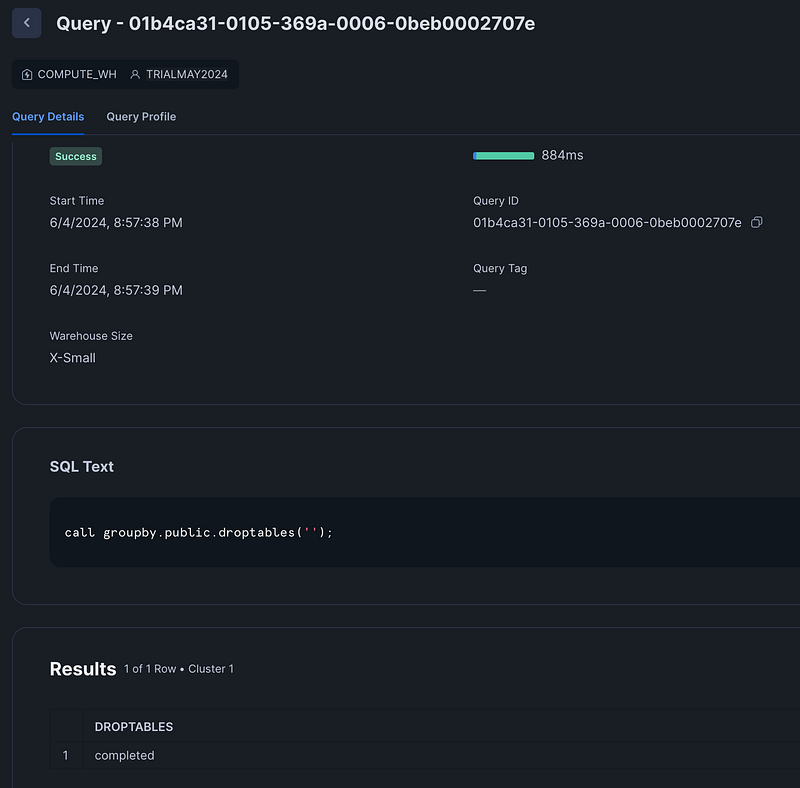
When you run Snowflake stored procedures, debugging is not the easiest thing. This is my example stored procedure, dynamically dropping tables: create or replace procedure groupby.public.droptables(message VARCHAR) RETURNS VARCHAR NOT NULL LANGUAGE SQL AS $$ DECLARE v_sql_query VARCHAR; c_table CURSOR FOR SELECT TABLE_NAME FROM

TL/DR; take a look at my Python CI/CD tool for Snowflake: SFexecute. Put the SQL you want to execute in a folder, run the script and all…